
How does internet cafe systems actually work?
What are we dealing with?
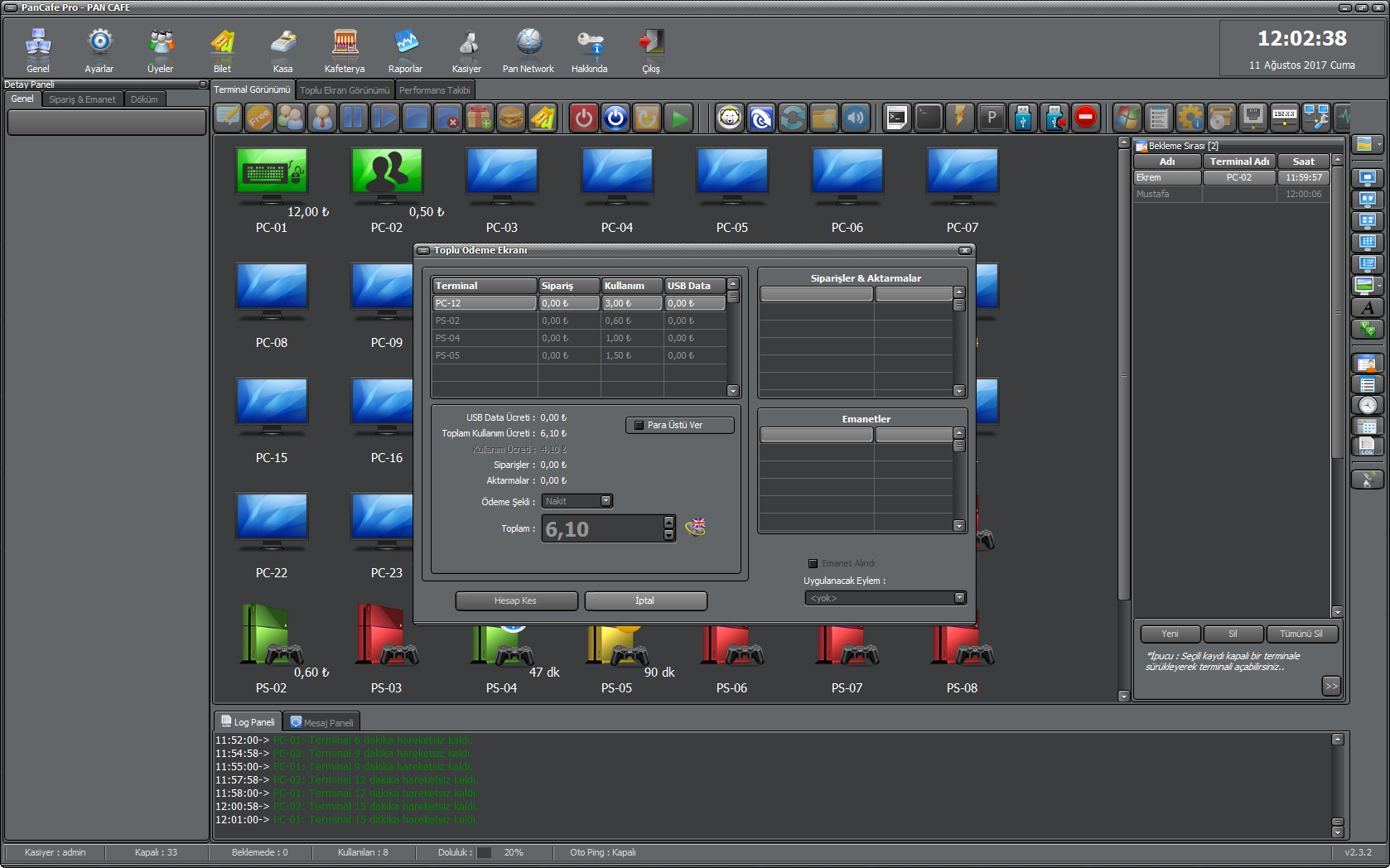
PanCafe is software that allows internet cafes to manage their devices in bulk, featuring capabilities such as time management, pricing, screen monitoring, and logging. More details are available on their website; in this article, we’ll provide all the details without overwhelming you with unnecessary information. I've included a sample screenshot of the admin interface below.
Modules
pncclient.exe
pguard.exe
The software appears as two executable files at startup. It is stored in the file system packed with an opensource packer, and the analysis is delayed by only a few minutes.
Since it isn't really relevant to this topic, I won't go into detail about how to unpack software packed with their packer.
pguard.exe
This is a background guard (watchdog) service. "pguard" = process guard or pan guard?. It shouldn’t be too hard to guess from the name right? We can understand this is a Windows Service with searching string references in unpacked binary. Also most of the text references are packed in binary.
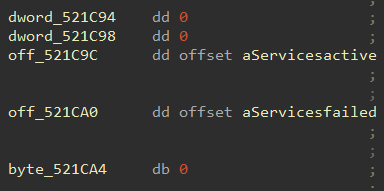
But references can be easily found by looking to variables. For this example off_521C0C and off_521CA0
Of course most of the strings are easily visible.
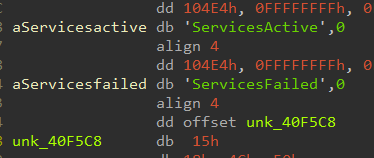
It starts itself as a Windows service at system startup and continuously monitors and restarts the cafe client executables. pncclient.exe and InitClient.exe.
▎ explorer.exe is not a monitored target. See below. Its only used as a token donor.
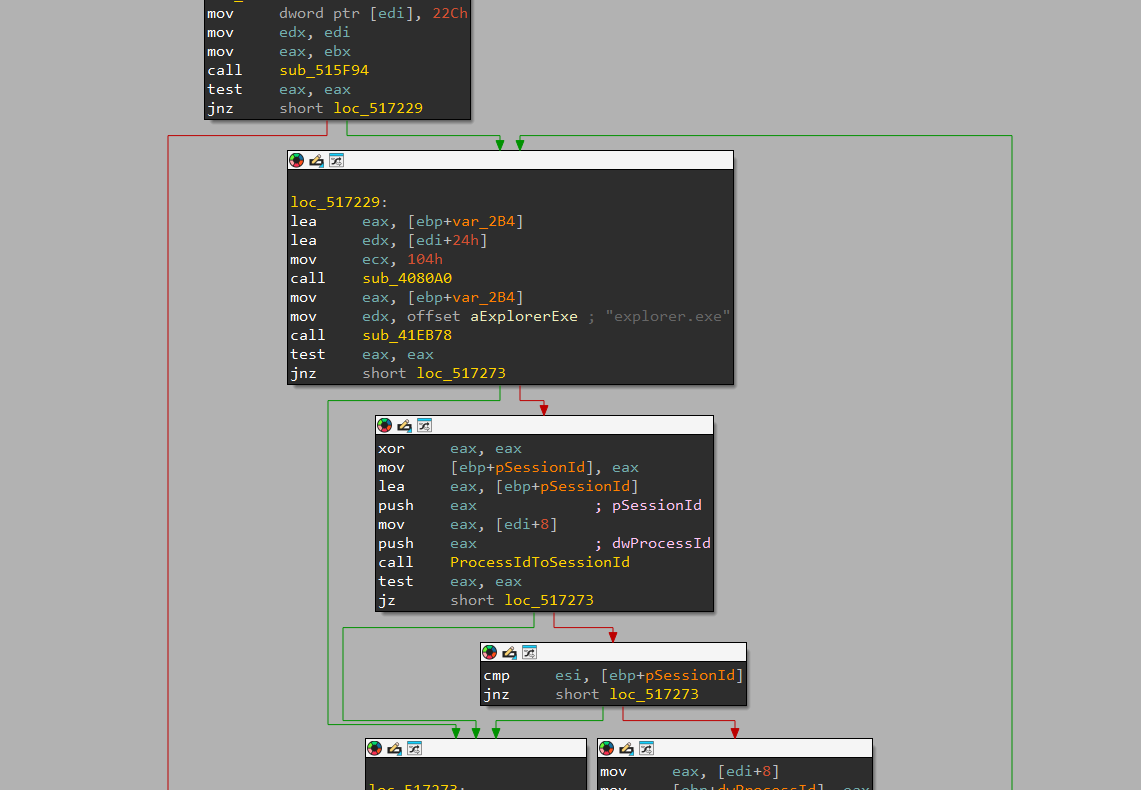
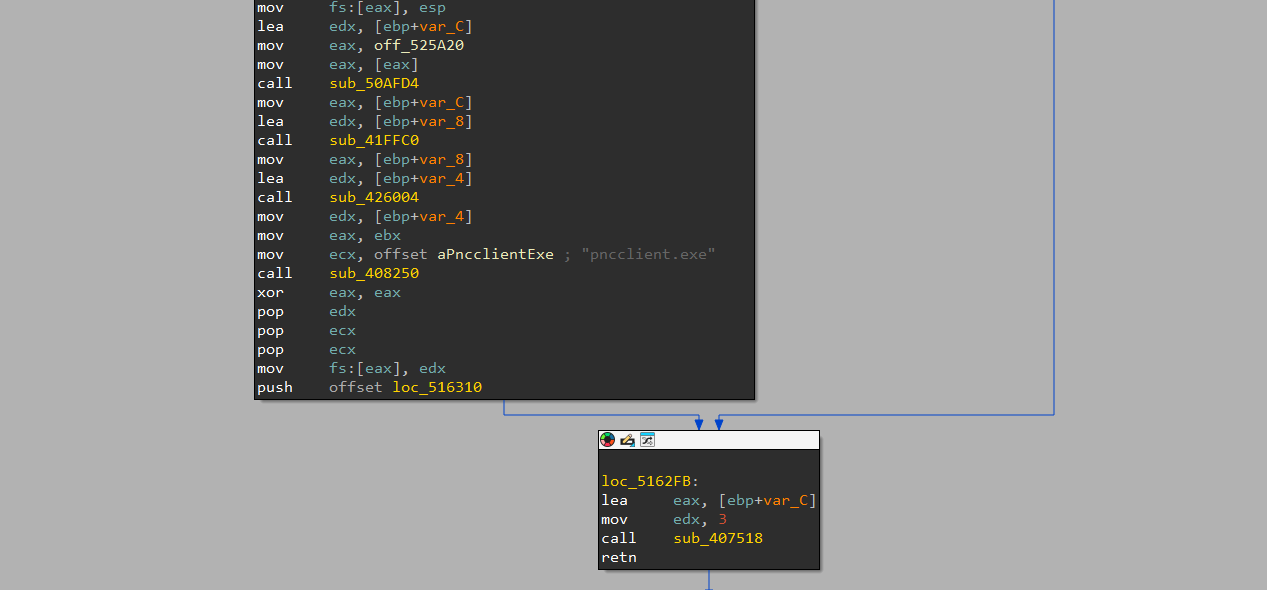
Additionaly: pguard process launcher works in the user session via WTSGetActiveConsoleSessionId. Gets the interactive session with WTSGetActiveConsoleSessionId, then enumerates processes (Toolhelp) and finds the explorer.exe whose session. And verified with ProcessIdToSessionId that matches that active session. explorer.exe's PID is used as the token donor for the logged-on user's identity.
By using OpenProcessToken/DuplicateTokenEx/SetTokenInformation/AdjustTokenPrivileges => CreateProcessAsUserW with lpDesktop="winsta0\default".
That runs the specified executable (parameter A1) on the user's desktop — created inside the user's interactive session, under the user's identity, on winsta0\default.
As a reminder when
pguard.exewants to launch an executable usingCreateProcessAsUserW, it launches the executable as the logged-on user, in that user's session, withSeDebugPrivilegeenabled on the token. Not as a normal same session launch (It runs with the user's identity, not SYSTEM)
This token-duplication +
CreateProcessAsUserWtechnique is dual-use: legitimate for services, but very suspicious (ඞ). Antiviruses/Anticheats can flag it.
In conclusion, pguard.exe has the job to make sure the cafe client stays running and restart back automatically if it is closes, crashes, killed.
To do this secure, pguard installs itself as a Windows service.
Windows Service: Background program that starts automatically with the computer and runs with the highest system permission (/SYSTEM)
So, there is the question.
Why the f*ck there are too many things that program does such as
explorer.exePID,sessions,tokensetc. to run a single executable?
Windows system services runs in an isolated area of Windows (AKA session NULL). This means it cannot show anything on the customer's screen. To put the cafe client on the user's visible desktop pguard makes a small identity switch.
To do that: pguard takes the idenity of explorer.exe by using WTSGetActiveConsoleSessionId
Because it is working on your desktop layer.
Easy to find, Unique PID, Starts with user logon.
What this idenity and what does it do?
A copy of that user's security token
Also we can say: the badge Windows uses to say "thats user α, in session β"
It stamps the token with the user's onscreen session and uses it to launch the client as that user on the user's own desktop (CreateProcessAsUserW).
The result: the executed program appears normally in front of the customer. Even though a hidden system service is the one starting it.
pncclient.exe
pncclient.exe is a much larger file than pguard. The main reason for this size is the libraries it uses.
CEF4Delphi (Embedded chrome browser)
Indy (HTTP/HTTPS library)
EurekaLog (Crash reporting)
JCL/FastMM4
Actually, pncclient.exe is the interface that the customer sees.
Interface related operations are displayed to the user as a browser page.
The browser is locked down with parameters.
--disable-web-security, --disable-javascript*, DisableSafeBrowsing, --disable-extensions, --disable-popup-blockingNow we are getting into the interesting part.
PNCClient.exe connects the local management server with a permanent ICS/INDY OPENSSL TLS socket. The communication between server and client is based on text command protocol.
What do you mean by
Text Command Protocol?
Server sents a message to clients with seperators in one line. After client recieves the text the client seperates the command and the data. If the whole line processed correctly. The packet data sent to the packets own handler. (session management, screenshot etc.)
COMMAND<seperator>DATA
COMMAND,DATA (used , for example)
a1=COMMAND
a2=DATA
Server Command Dispatching
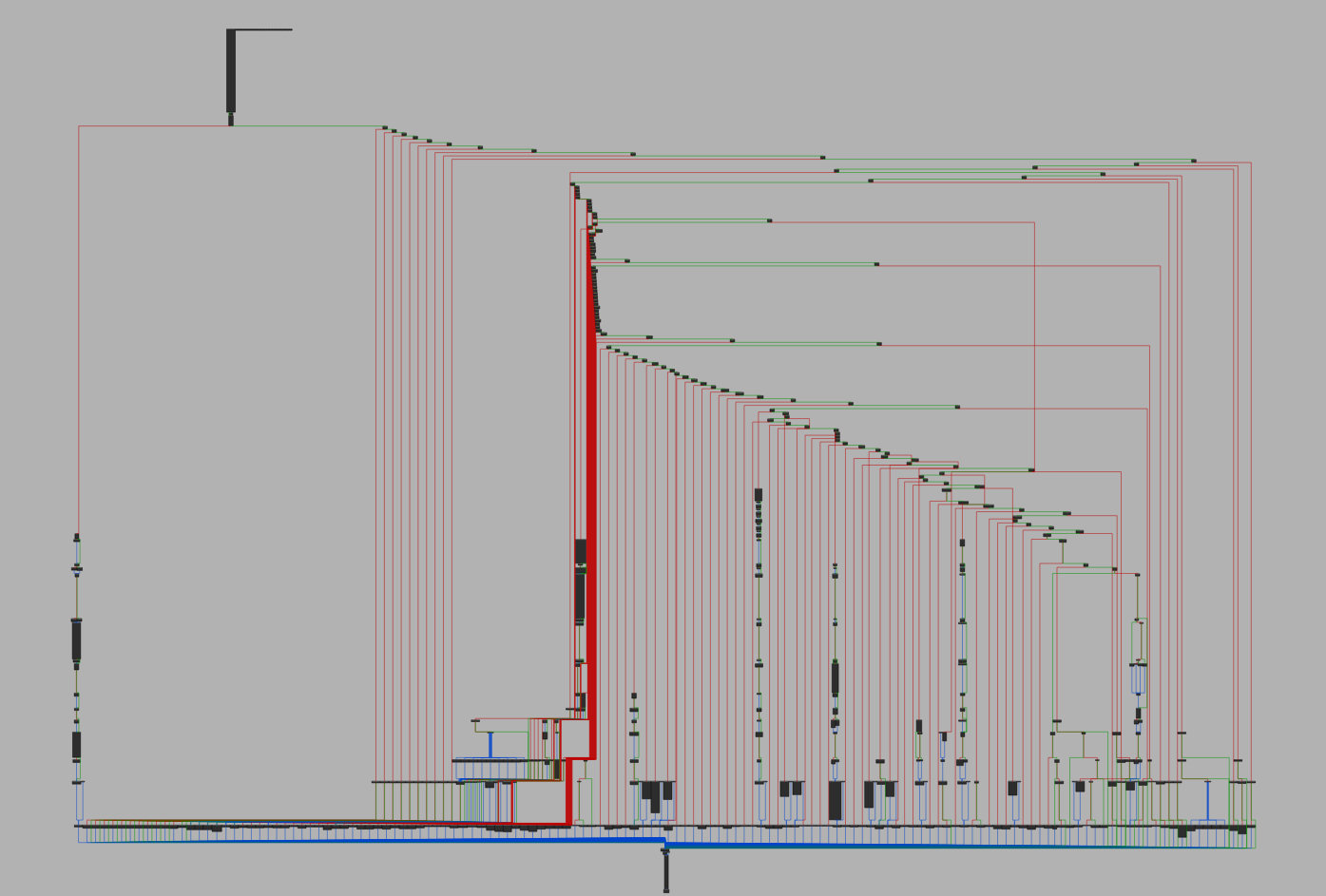
This is the central message handler that reacts to all server commands. It's doing (some) string compare operations to the command argument in packet we discussed before.
And takes action against the session control. OPEN_SESSION, OPEN_SESSION_MEMBER, OPEN_SESSION_TICKET, OPEN_SESSION_ADMIN, PAUSE_SESSION, CLOSE_SESSION, CLOSESELF_SESSION_MEMBER
Also this module is the core of remote session/time control mechanism.
How does it know which
COMMANDis forTHATfunction?
As mentioned in the text above the message arrived from the server with two parameters.
First, the command and data are separated using the delimiter character in the message.
In Server Command Dispatching message splitter function returns 2 paremeters (COMMAND and PAYLOAD). And the function handles requests by comparing COMMAND parameter.
RAdmin Control Channel
RAdmin is a part of serverside channel. Parses packets with RADMIN_START, RADMIN_FRAME, RADMIN_RES and injects input commands to customer using WINAPI functions like SetCursorPos, mouse_event, keybd_event
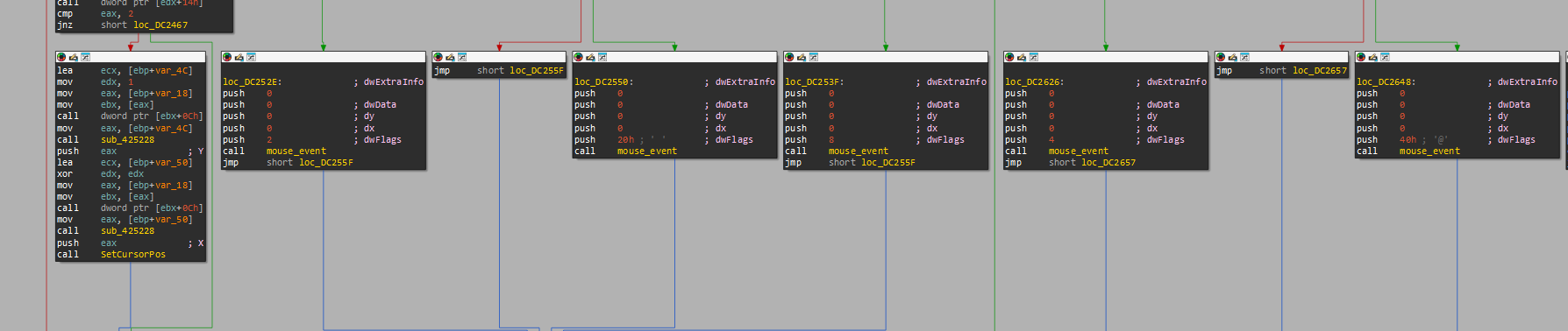
This class covered in the remote management section but it shares the same command dispatch design we discussed before.
Screenshot Handling -
RADMIN_FRAME
PNCClient uses a basic way to get screenshot by using GetDesktopWindow GetDC BitBlt and copies to TBitmap . And the color schema can be selected.
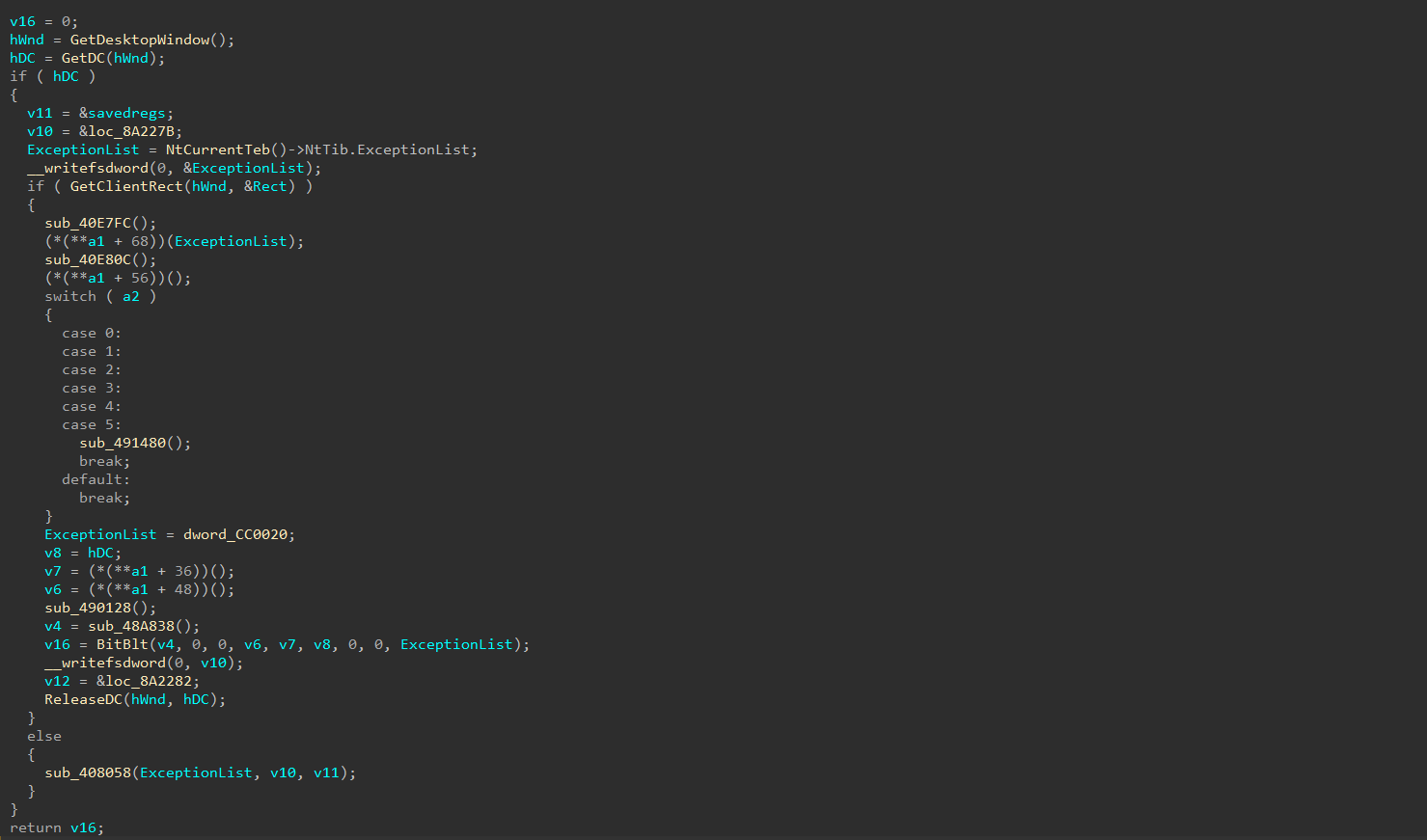
After the screen captured the image adjusted to requested resolution with StretchDraw function. This fixes the JPEG Quality.
The type header is written to complete frame (DC14E4 / DC1350 / DC18BC).
Now the final process is the sending the data from RAdminSock socket (INSTANCE+0x490).
Customer time enforcement uses serversided driving a client side countdown timer (TTimer). The terminal locks when this local timer fires.
So as a result: It is not impossible to make unlimited time but the administrator can notice it instantly.
If there are any missing or incorrect information feel free to contact me through discord.